Detailed Trading Statistics in the Trade Report

AI Trading

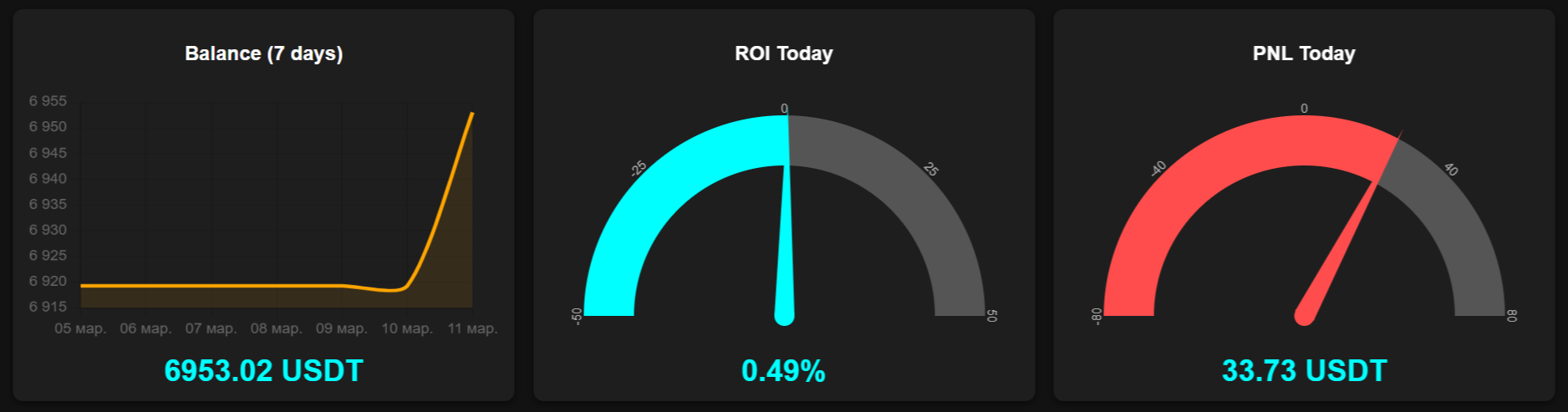
Top indicator panel:

Balance - the user’s Demo or Real trading balance, along with the balance trend over the past seven days.

ROI - an indicator of overall trading performance as of the current date.

PNL Today - a metric that shows the total financial result of trading activity for the current date, whether profit or loss.
Trade Report positions table

AI Trading
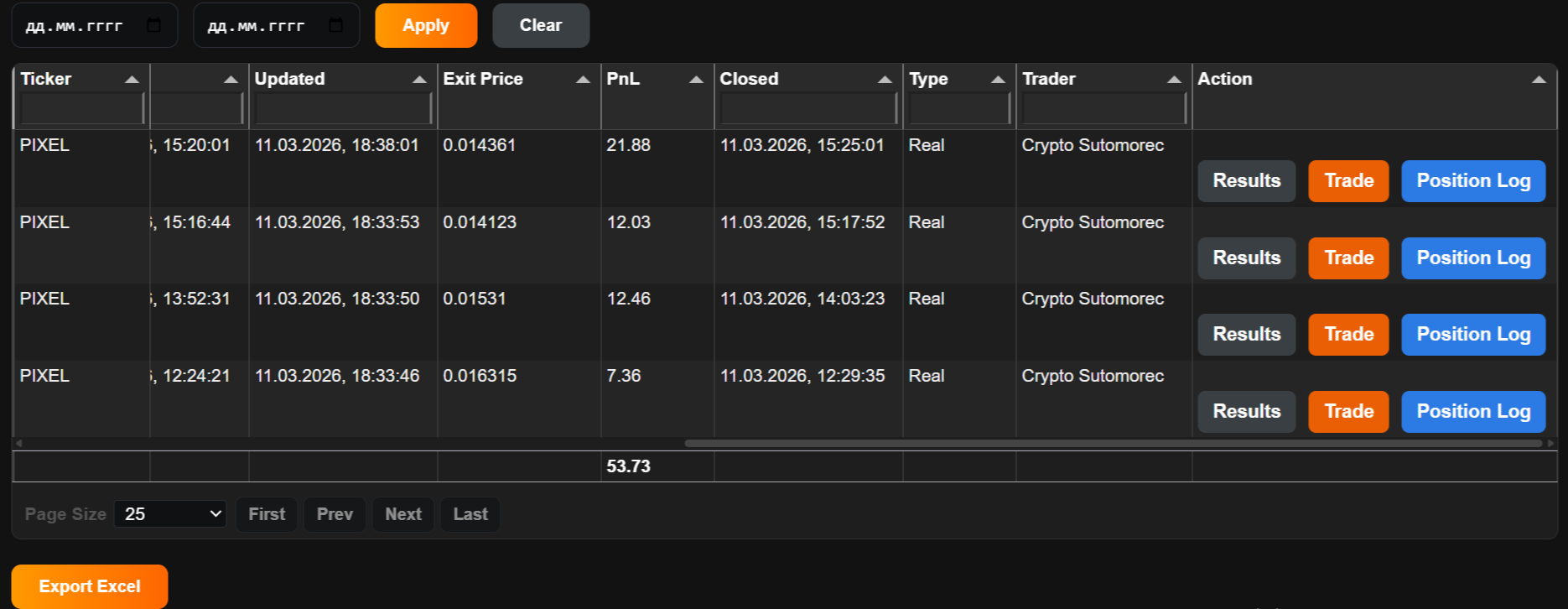
  • Ticker -trading pair
  •  Amount - position size in coins
  • Amount USDT - position value in USDT at entry
  •  Side - position direction: Long or Short
  •  Entry Price - entry price of trade
  •  Leverage - leverage used
  • Take Profit - target price for locking in profit
  •  Stop Loss - protective price level used to limit losses
  • Opened / Updated / Closed - the time of position events (opening, latest data update, closing) shown in the user’s local time
  • Exit Price - actual trade exit price
  • PnL - financial result of the trade (the bottom row shows the total PnL for the entire column over the selected period)
  • Type - trading type (Demo trading or Real trading)
  • Trader - trader’s name or nickname

Logs and Results

AI Trading

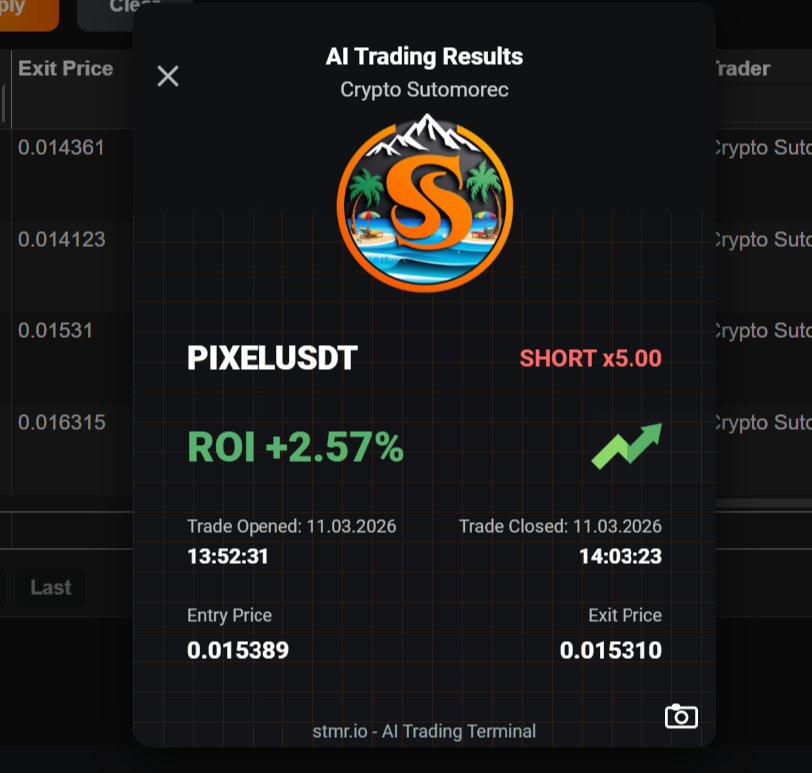
Clicking the Results button opens a window showing the trade results. By clicking the camera icon in the lower-right corner, a screenshot with the result of the selected position will be automatically saved to the user’s device.

AI Trading

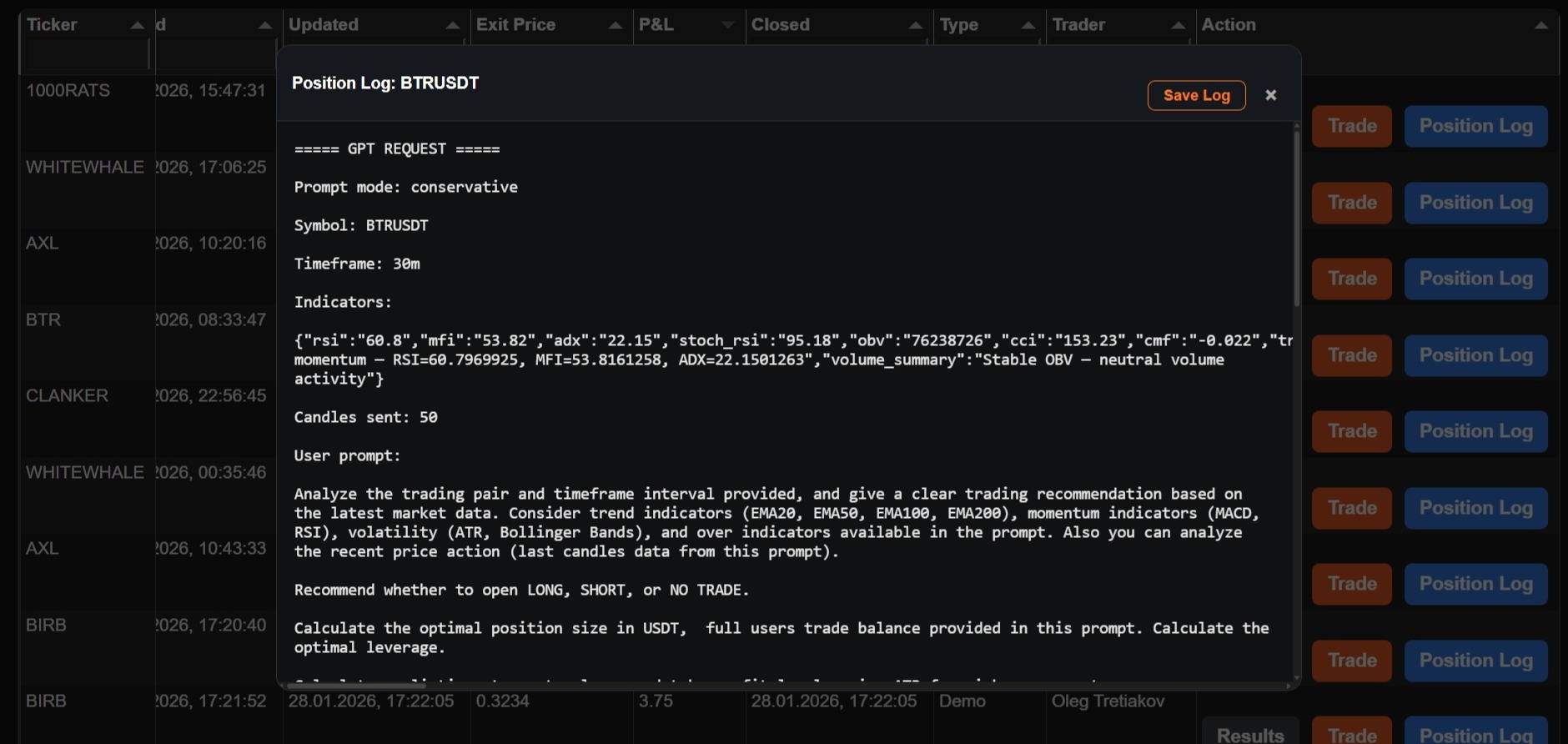
Clicking the Position Log button opens a window with detailed logs of all actions performed for the selected position. During the testing phase, position logs also include technical data used for monitoring and debugging the system.

AI Terminal

Manual and overview of the AI Terminal section

Trade Screener

Manual and overview of the Trade Screener section

© Copyright 2026 STMR AI Terminal. All Rights Reserved.